Squad Marks’ new 11th Edition Warhammer 40k terrain conversion guide turns your old 10th Ed footprints into legal layouts without rebuying the whole set.
Switching terrain layouts between editions sounds easy until you’re staring at a pile of MDF, acrylic, or neoprene footprints and wondering which ones need to be cut, replaced, or banished to the “maybe I’ll use this later” box.
Squad Marks is trying to make that 11th Edition Warhammer 40k terrain transition a lot less painful. Their new Terrain Base Footprint Conversion Guide shows players how to update older 10th Edition terrain footprint layouts for the new 11th Edition terrain areas, without automatically rebuying a full set. The same conversion logic also works for perfect for other 10th Edition footprint sets from other companies too!
Squad Marks is also selling an upgrade-only option for players who already have an existing set and only need the new pieces to finish the conversion. That upgrade set includes four large rectangles, two large right-angle triangles, and an upgrade guide.
- The free conversion guide does the heavy lifting: Squad Marks’ new PDF walks through every cut needed to update existing 10th Edition terrain footprints into the 11th Edition layout, no full rebuy required.
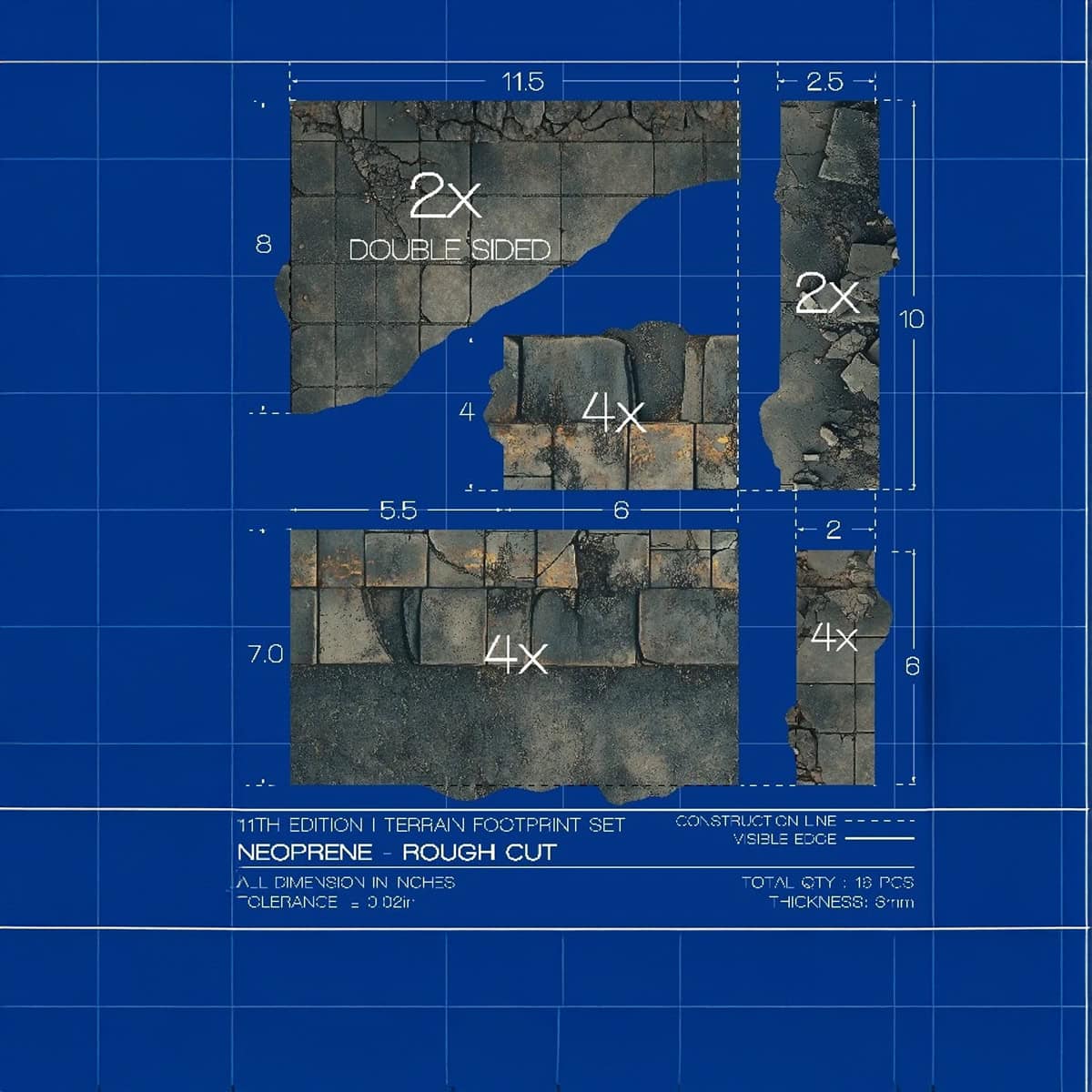
- Smaller shapes cut from existing bases: four 6×2″ strips come out of one 12×6″ base, two 10×2.5″ pieces come out of paired 10×5″ bases, and the 4×6″ pieces are already the right size in acrylic and MDF.
- Bigger 11.5″ shapes are the awkward part: the two 11.5×8″ triangles and four 11.5×7″ rectangles need joined 6×12″ bases or the upgrade kit, because the original set doesn’t have enough spare pieces to make them cleanly.
- The upgrade kit covers the tricky pieces: for players who already own a Squad Marks set, the upgrade-only option includes four large rectangles, two large right-angle triangles, and the upgrade guide.
- Conversion logic works beyond Squad Marks: the same trim-cut-upgrade plan helps with similar 10th Edition footprint sets from other companies, as long as the dimensions match.
How to Convert 10th Edition Layouts to 11th Terrain Areas
Snag your new goodies and give us a high-five in support! Every qualifying purchase helps Spikey Bits keep the lights on and the fun going.

Before you start chopping up your terrain bases like a grot with a power saw, get the right tool for the material your going to cut.
For neoprene terrain bases, Squad Marks recommends this rotary cutter and straight edge. That gives you smoother, more controlled cuts without tearing the material or leaving wavy edges. A quilting-style ruler with clear measurement marks also helps keep longer cuts from drifting.
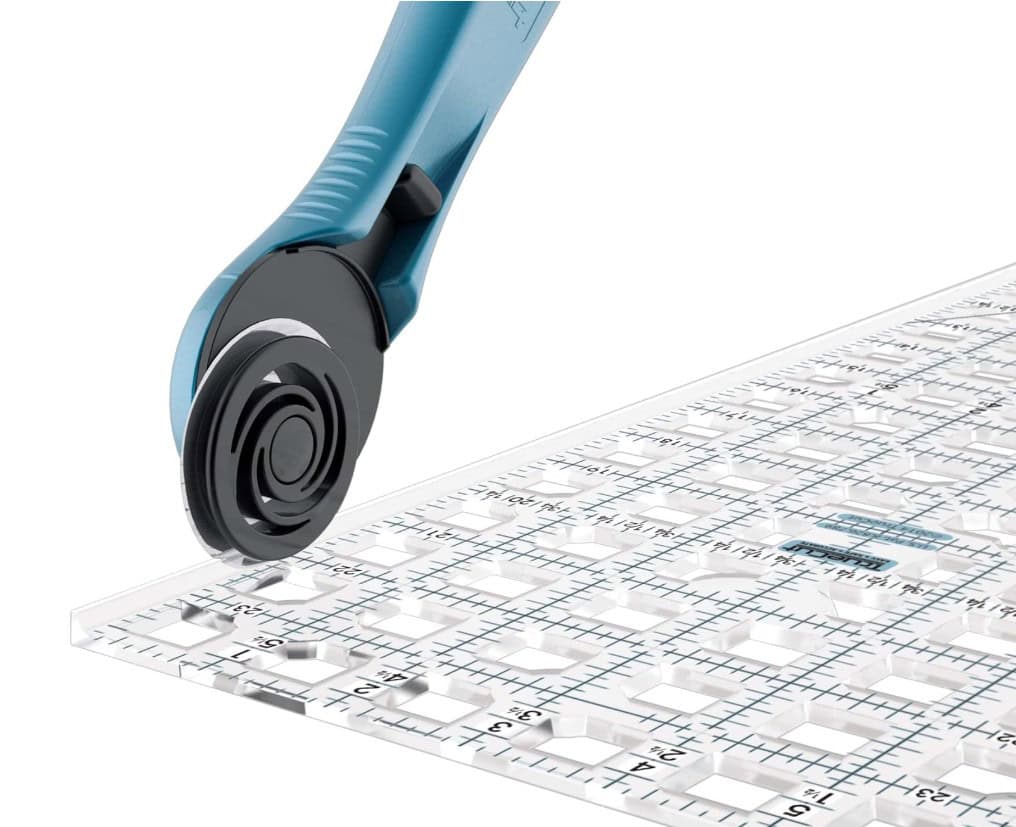
The Right Tools Keep The Cuts From Getting Ugly
For acrylic terrain bases, use a straight edge and a sharp utility blade (or hobby knife). Don’t try to force the blade through in one pass. Score the line several times, then snap the piece cleanly once the cut is deep enough. Acrylic rewards patience, so don’t overcompensate with brute force.
For MDF terrain bases, you’ve got more options. A utility blade can work for thinner sheets, while thicker material is better handled with a hobby saw, table saw, skill saw, or jigsaw. After cutting, sand the edges lightly and seal them with paint or primer so they don’t get chewed up after a few months of store nights, tournament packing, and being slid around tables.
How To Cut The Smaller 11th Edition Terrain Pieces
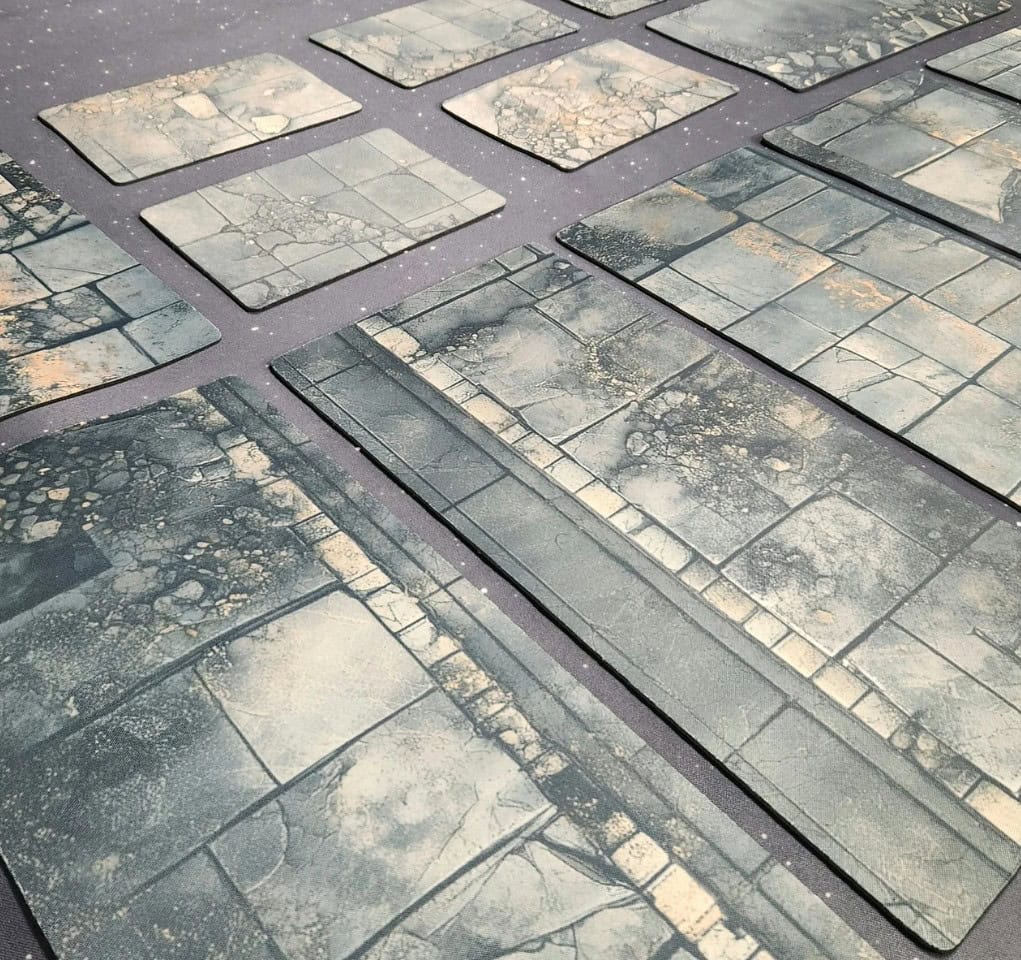
The Squad Marks guide starts with the easier conversions, and these are the pieces most players can handle without buying anything extra.
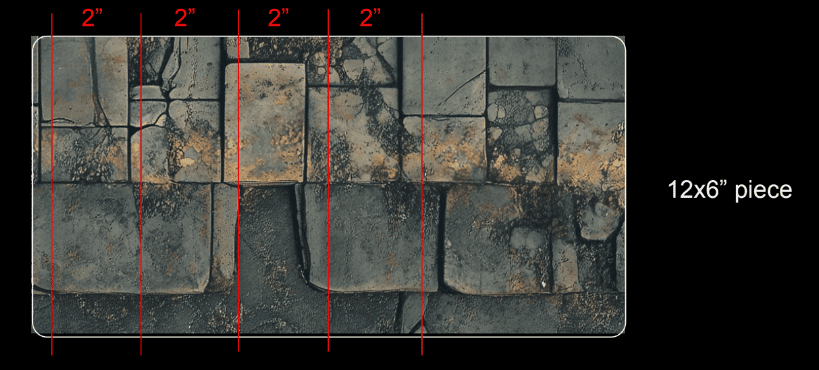
For the four 6×2″ pieces, take one 12×6″ terrain base and cut across the width in 2″ sections. That gives you four strips measuring 6×2″. If you’re using neoprene bases with rounded corners, trim those rounded edges off first if you want cleaner, squared-off pieces.
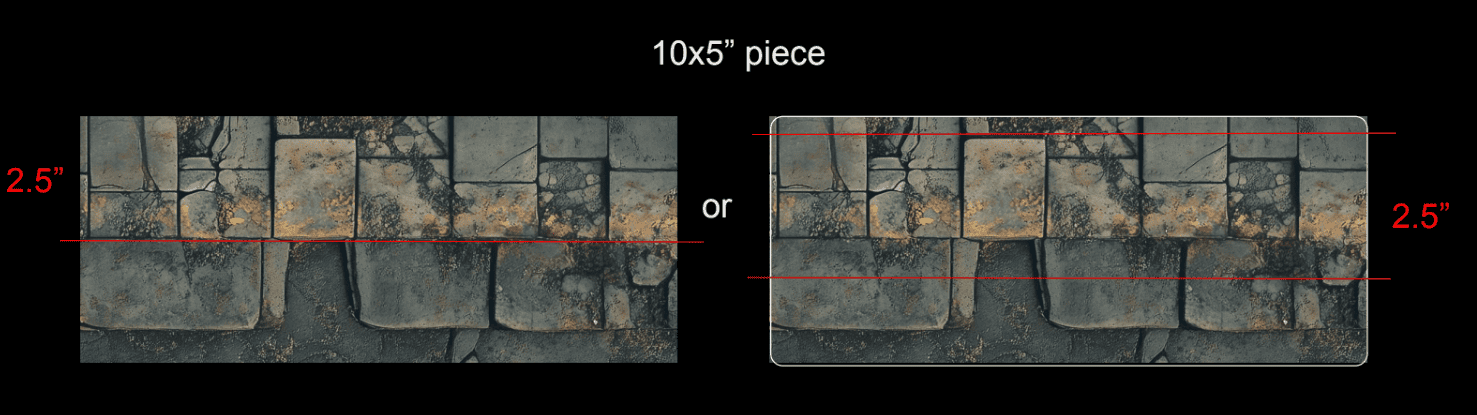
For the two 10×2.5″ pieces, take your 10×5″ bases and cut across the length at 2.5″. The guide notes you’ll need both 5×10″ pieces for this part, so this is a measure-twice, cut-once moment. Nobody wants to freehand a terrain strip into abstract modern art when they are trying to prep matched play layouts.
The four 4×6″ pieces are easier depending on what material you have. If you’re using acrylic or MDF versions, Squad Marks says those are already the right size. For neoprene pieces with rounded corners, cut them out of another 12×6″ piece by making two 4″ wide cuts across the mat.
The Bigger 11th Edition Shapes Are The Awkward Part
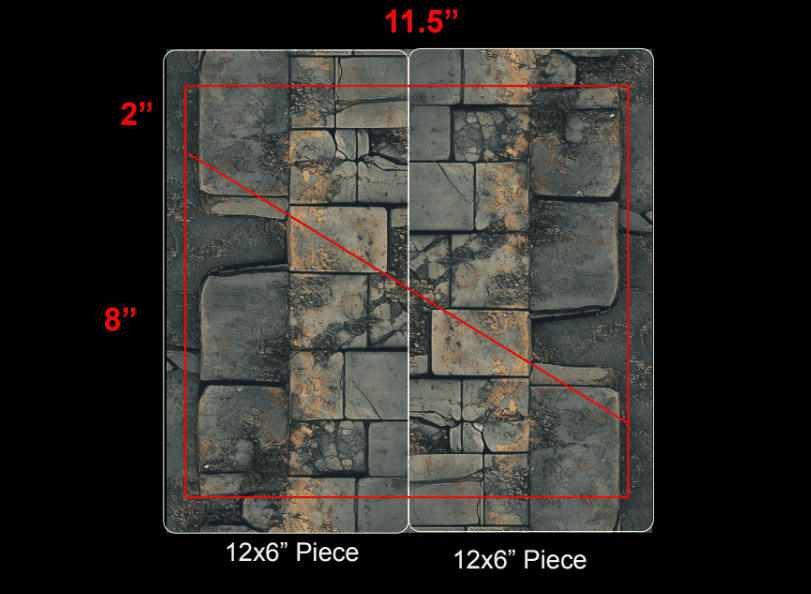
The larger 11th Edition terrain areas are where the conversion stops being “just cut this strip” and starts getting a little more annoying.
For the two 11.5×8″ triangles, Squad Marks says you can make the new size by using two 6×12″ bases and gluing or taping them together. From there, you create the larger right-angle triangle shape needed for the updated layout.
That technically works, but it’s not as clean as cutting smaller rectangles out of existing bases, like the rest of this guide. Now you’re ombining pieces, lining them up, and relying on adhesive or tape to keep everything behaving.
Sure, that may be fine for a home table, but it’s less ideal if you’re trying to build clean event terrain across multiple boards.
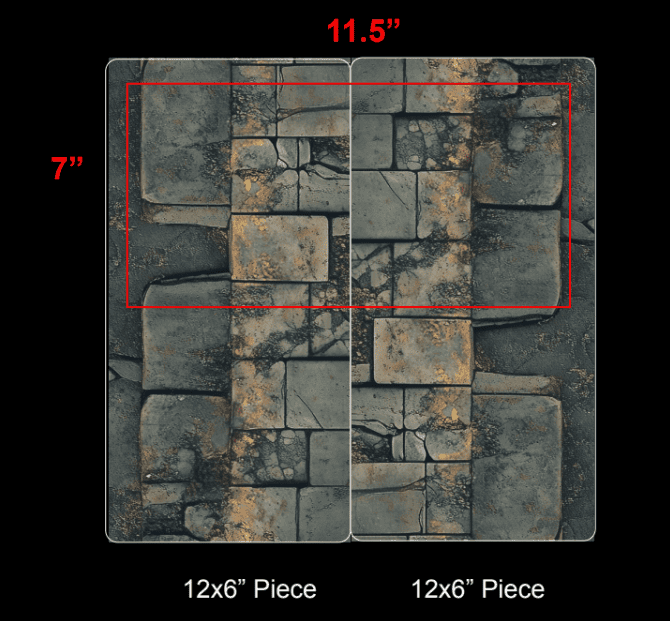
The same problem comes up with the four 11.5×7″ rectangles. Squad Marks notes that these can also be made from two 6×12″ bases joined together, but there’s a catch: the original set doesn’t have enough spare pieces to make every new required size cleanly.
That’s where the upgrade set stops looking like an upsell and starts looking like the “I’d rather not perform terrain surgery all afternoon” option.
The Upgrade Set Covers The Pieces That Don’t Convert Cleanly
For players who already own a Squad Marks terrain footprint set, the upgrade-only kit is the prefct pick up for the harder-to-convert shapes. It includes the hard to make four large rectangles, two large right-angle triangles, and their upgrade guide.
To us that seems like a smart middle ground. Plenty of hobbyists already bought terrain footprints for 10th Edition, and asking them to rebuy a full table setup just because GW changes the layout is kinda lame. This lets players keep their pieces that still work, cut down the ones that are easy to modify, and only replace the shapes that are awkward or impossible to make neatly from the original set.
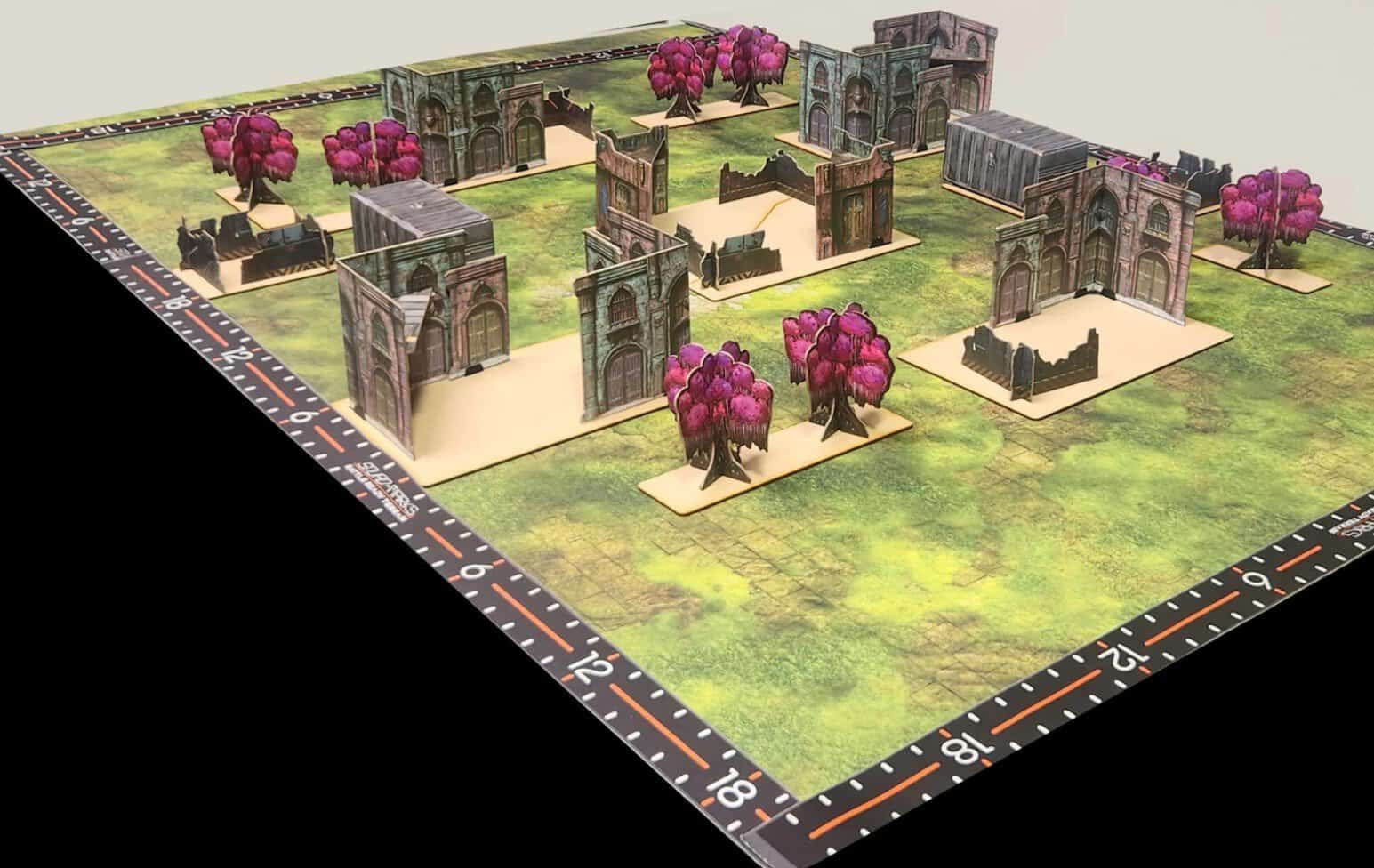
It also helps stores and TOs alike (also they have a TO discount, so be sure to ask about it). Updating one home table is annoying, but updating enough terrain for a league night, RTT, or full event is where the cost and prep time could become a problem. Having an upgrade set makes it easier to standardize tables without turning the week before an event into a measuring-and-cutting grinder.
Maybe the best part of all this is that the guide uses Squad Marks terrain footprints, the same directions helps players with similar 10th Edition footprint sets from most other companies. If the pieces are close enough in size and material, the plan is the same: trim the smaller shapes, repurpose what fits, and upgrade the larger pieces that don’t convert over cleanly.
Final Thoughts: A Practical 11th Edition Warhammer 40k Terrain Conversion Plan
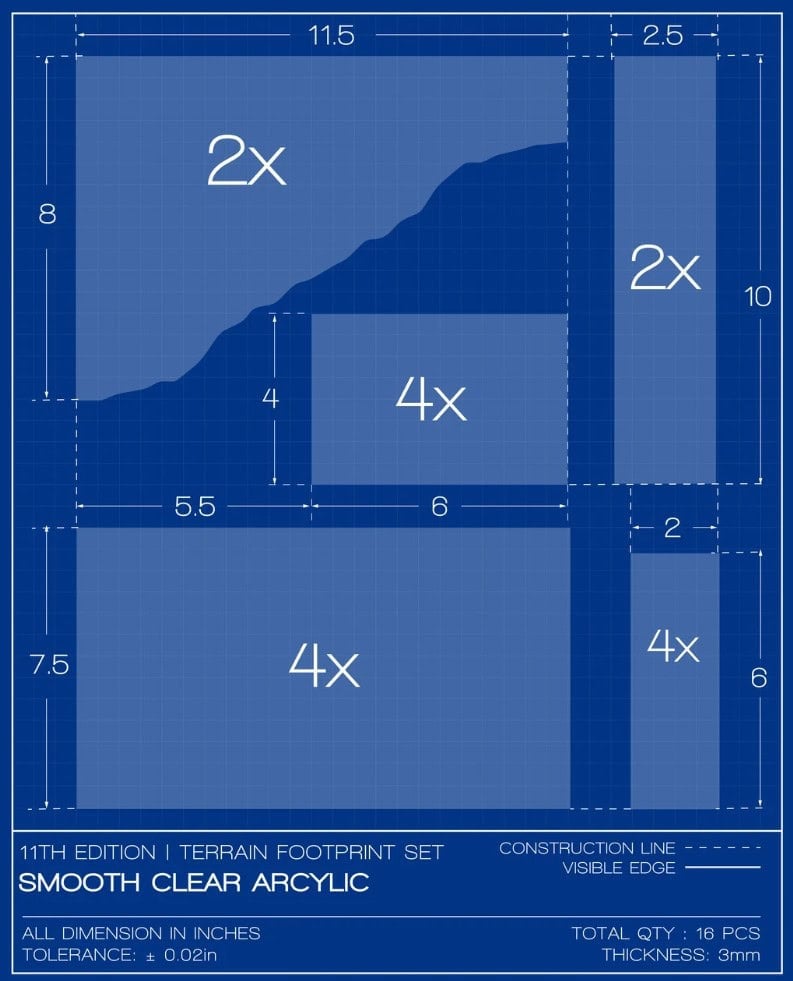
The strongest part of this guide is that it treats the 11th Edition terrain update like a practical hobby problem, not a reason to throw everything out and start over. Sure, some players will still want a fresh set with the new layouts already handled, and Squad Marks has those too.
But for anyone sitting on a usable 10th Edition footprint set, the conversion guide and upgrade kit offer a cheaper path forward.
For 11th Edition Warhammer 40k, that’s a solid win before the first dice even hit the table.
Get Your New Terrain Area Sets Here
🔗 Related Reads:
- Check Out the Full Conversion Guide Here!
- New 40k 11th Edition Terrain Rules: Rumors + Reveals
- Get Your New Terrain Area Footprints for 11th Edition 40k
- 11th Edition 40k Terrain Footprints Spark Wild Conspiracy Theory
- New 40k 11th Edition Rules: Rumors, Reveals + Predictions
- New Foldable Terrain Perfect for Warhammer 40k
Will you be using this guide to convert your 10th Edition Warhammer 40k terrain to the new 11th Edition layouts?